Adding New Clients
Praxis Notes uses a comprehensive multi-step process to add new clients to your system. This structured approach ensures you capture all the essential information needed for effective ABA therapy documentation.
The Client Creation Process
Adding a new client follows a 5-step wizard that guides you through entering all necessary information:
- Basic Info
- Behaviors
- Programs
- Interventions
- Review
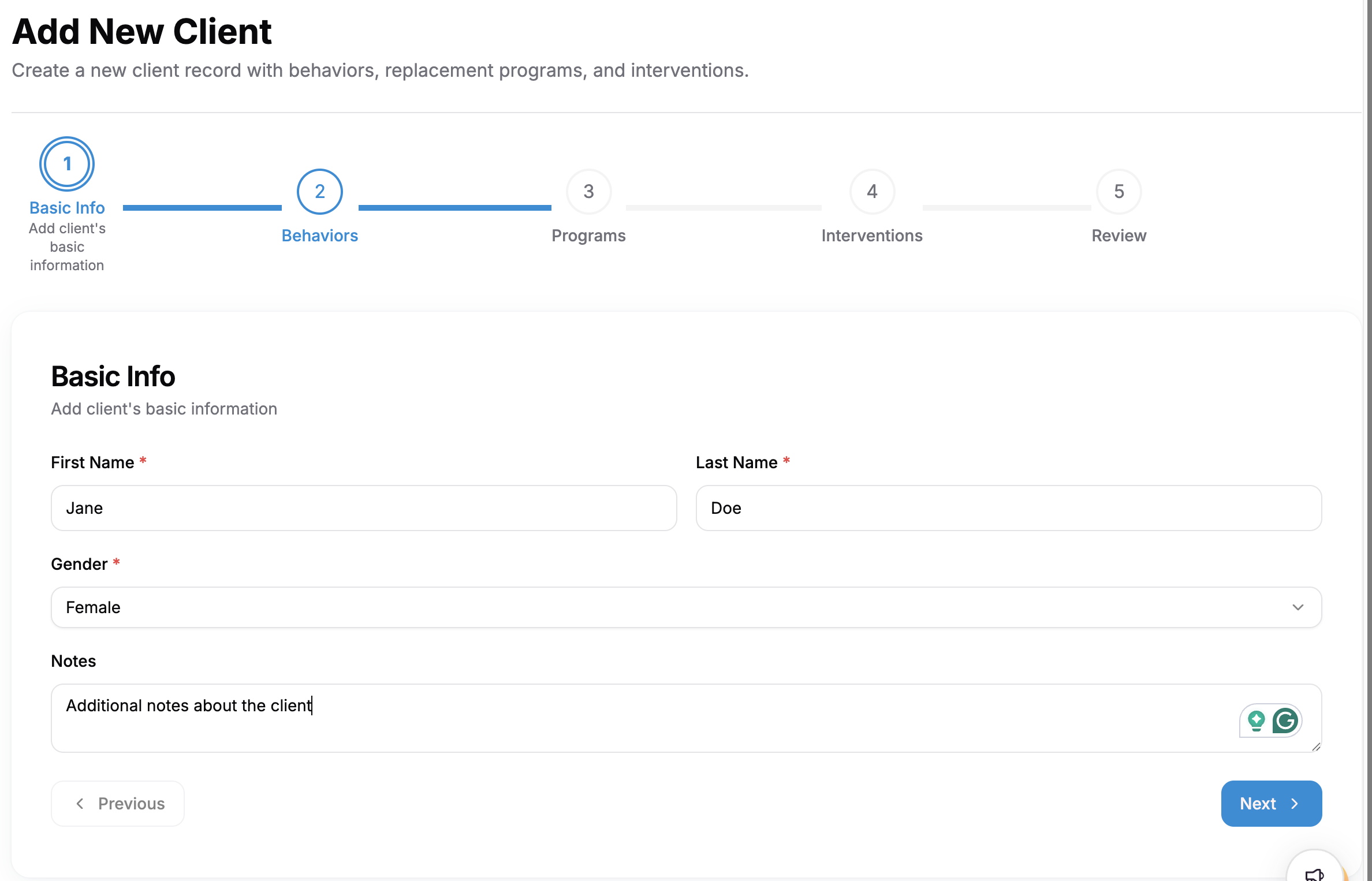
Step 1: Basic Information
The first step is to enter the client's personal information:
- First Name (required)
- Last Name (required)
- Gender (required)
- Notes (optional): Any additional information about the client
This essential information forms the foundation of the client's record in the system.
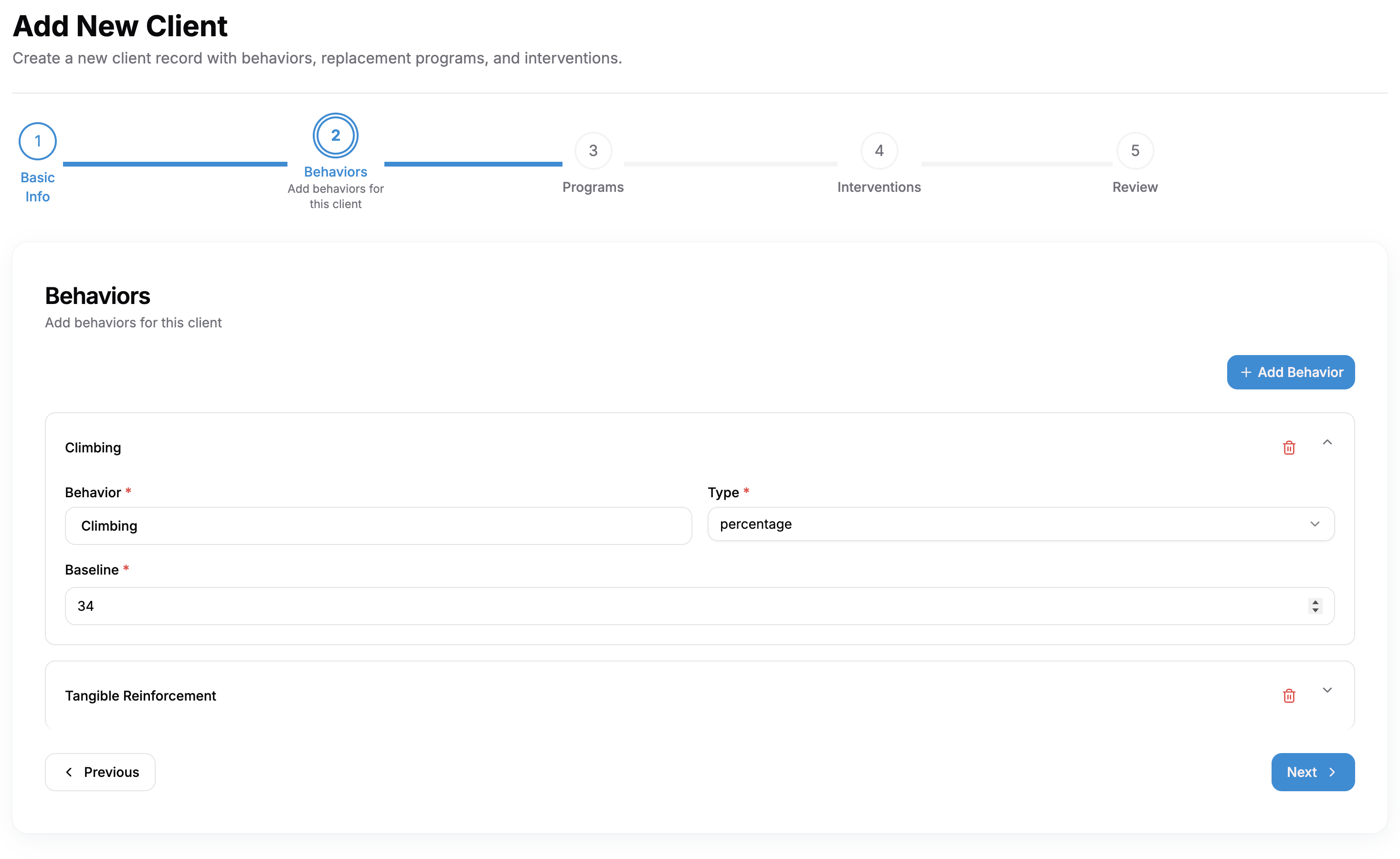
Step 2: Behaviors
In this step, you'll document the behaviors that need to be addressed:
- Click "Add Behavior" to add a new behavior
- For each behavior, specify:
- Behavior (required): Select or enter the behavior
- Type (required): Choose the type (e.g., frequency)
- Baseline (required): Enter the starting measurement
You can add multiple behaviors as needed for comprehensive tracking.
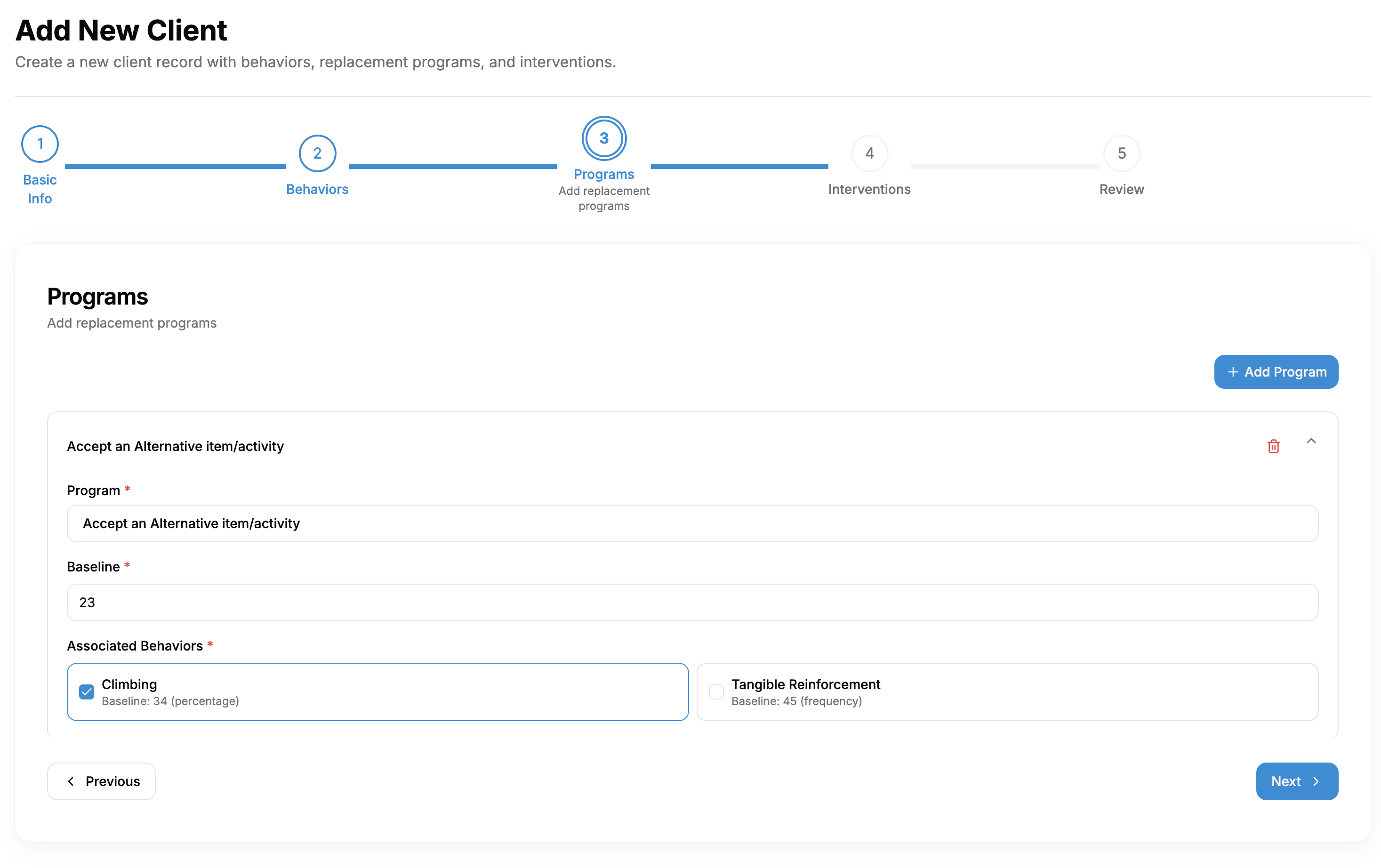
Step 3: Replacement Programs
This step allows you to add replacement programs to address the behaviors:
- Click "Add Program" to add a new program
- For each program, specify:
- Program (required): Select the replacement program
- Baseline (required): Enter the starting measurement
- Associated Behaviors: Link the program to specific behaviors
Programs help track interventions that replace unwanted behaviors with positive alternatives.
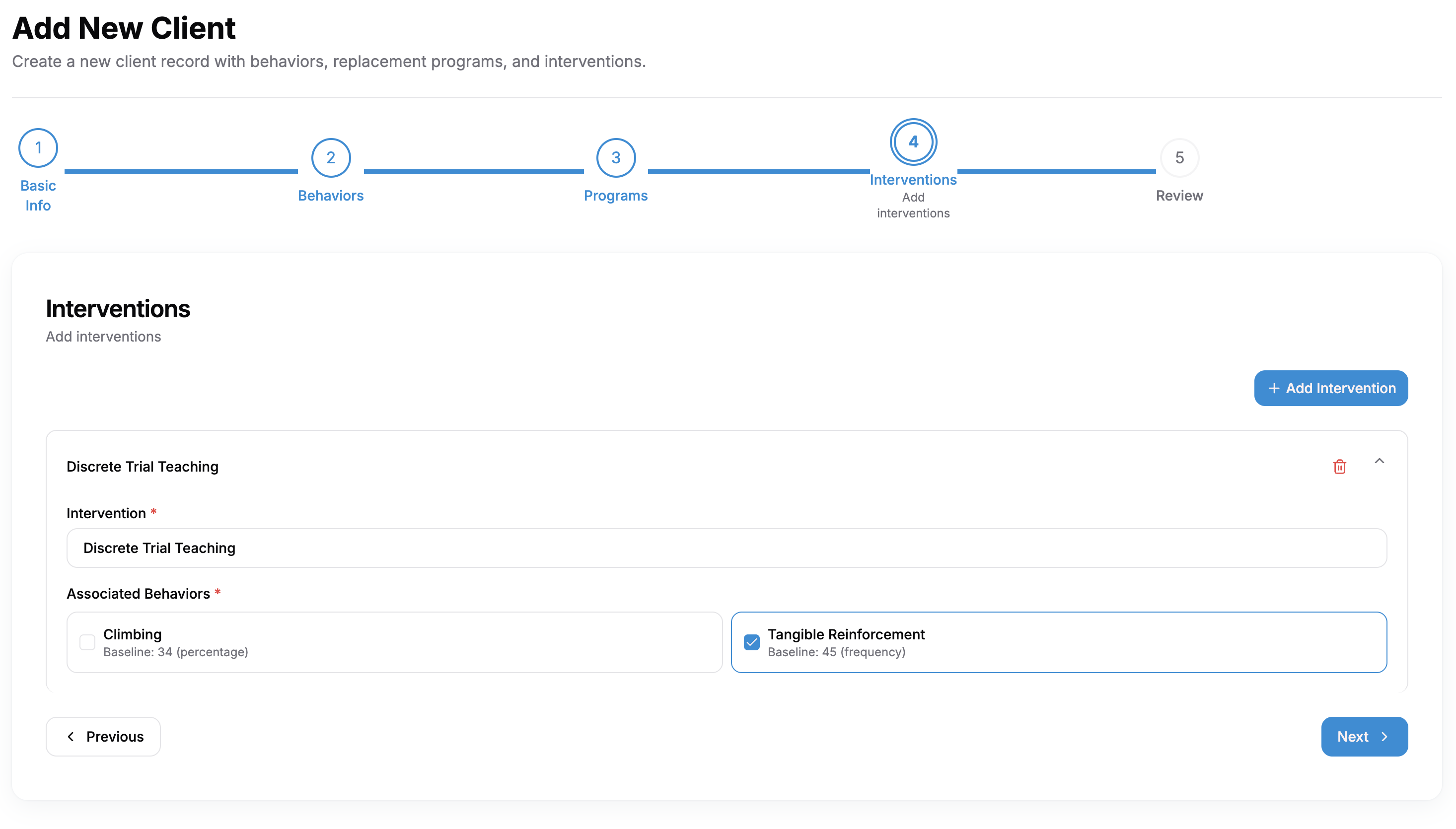
Step 4: Interventions
In this step, you'll add specific interventions to implement:
- Click "Add Intervention" to add a new intervention
- For each intervention, specify:
- Intervention (required): Select the intervention type
- Associated Behaviors: Connect the intervention to target behaviors
Interventions document the specific strategies used in therapy sessions.
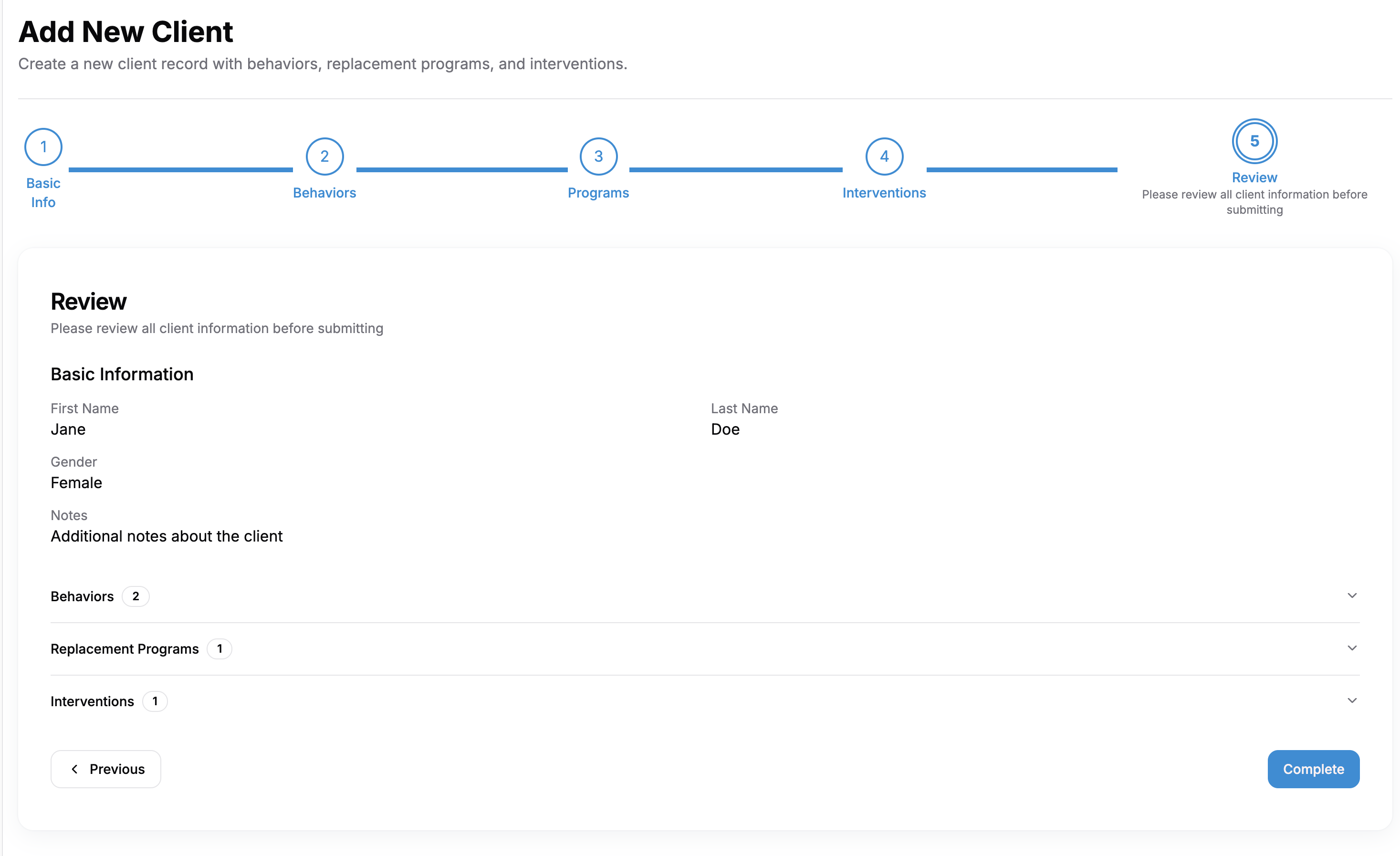
Step 5: Review
The final step allows you to review all the information entered before saving:
- Basic Information: Client details
- Behaviors: List of behaviors with baselines
- Replacement Programs: Programs with associated behaviors
- Interventions: All interventions with associated behaviors
Click "Complete" to save the client record to your system.
Navigation Controls
Throughout the process, you can:
- Click "Next" to proceed to the next step
- Click "Previous" to return to the prior step
- Each step saves automatically as you progress
After Adding a Client
Once you've completed the client creation process:
- The new client will appear in your client list
- You can immediately begin creating session notes for the client
- All behaviors, programs, and interventions will be available for session documentation
Tips for Effective Client Setup
- Be thorough in your behavior documentation to enable better tracking over time
- Link behaviors, programs, and interventions properly for comprehensive reporting
- Use the notes field to document any special considerations for the client
- Ensure baseline measurements are accurate for proper progress tracking